How to Identify At-Risk Customer Accounts Before Churn: 5 Early Warning Signals
How to Identify At-Risk Customer Accounts Before Churn: 5 Early Warning Signals
Published

Lucia Ordonez
Marketing Intern
Churn rarely arrives without warning. The accounts most likely to leave reveal themselves through subtle shifts in product usage, engagement velocity, and support interactions 30–47 days before they cancel.
Key Takeaways
Traditional churn indicators—NPS surveys, support ticket surges, renewal discussions—capture sentiment after disengagement has already taken root
Five early-warning signals predict account risk: product usage decline, engagement velocity changes, feature adoption plateau, support sentiment shifts, and CRM disengagement
Risk scoring frameworks help prioritize at-risk accounts by weighting multiple signals, annual contract value, and renewal proximity
Manual monitoring works for under 50 accounts; AI-native platforms scale proactive retention for larger portfolios
Detecting risk signals 30–47 days early gives CS teams time to intervene before churn becomes inevitable
The accounts most likely to churn reveal themselves through changes in usage patterns and engagement velocity weeks before any survey or support ticket flags a problem. A decline in session frequency of 15–20% week-over-week, or a contraction from five active features down to two, surfaces disengagement while intervention is still possible, often 30 to 47 days before a cancellation notice arrives.
The Cancellation-Notice Trap
Consider an account that stopped using a core reporting feature 30 days before renewal. No alert fired. The customer success team learned of the risk only when the cancellation notice arrived, two weeks before the contract expired. By then, the account had already mentally checked out, evaluation of a competitor was complete, and the relationship had hardened into a transactional exit conversation. Quarterly business reviews, support ticket escalations, and exit surveys all arrive too late because the customer disengaged weeks or months earlier. The gap is not a lack of data; it is a lack of instrumentation that turns raw product events into reliable early warning signs while there is still time to act.
What Lagging Indicators Miss
Reactive monitoring, NPS surveys, support ticket volume spikes, renewal discussions, captures sentiment after disengagement has already taken root. These lagging indicators reflect outcomes, not the behavioral patterns that precede them. Proactive risk detection, by contrast, tracks declining engagement (less frequent logins, lower feature usage, drops in product interactions), feature adoption velocity, and depth-of-use contraction in real time. Accounts that fail to adopt core features within the first 30 days churn at 2 to 3 times the rate of those that do. Churn is not always obvious until it is too late, but the warning signs are present in usage data long before a customer voices dissatisfaction or stops responding to outreach.
Understanding that reactive monitoring arrives too late is the first step. The next is knowing exactly which behavioral shifts to watch.
The 5 Early Warning Signals That Predict Account Risk
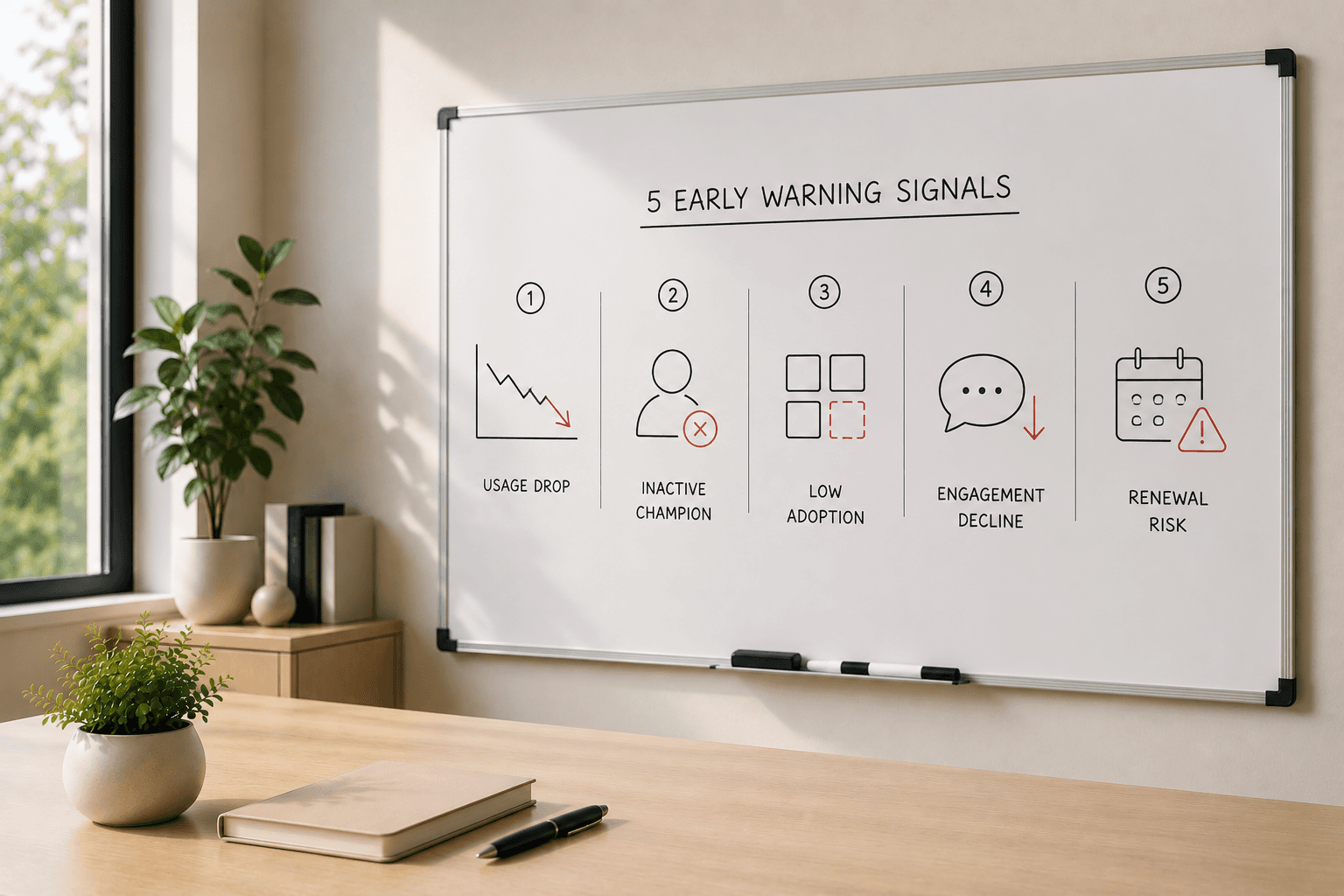
Churn rarely arrives without warning. Behavioral signals surface disengagement patterns 30 to 47 days before cancellation, giving customer success teams a narrow window to intervene. The challenge is not a lack of data, it is a lack of instrumentation and scoring frameworks that translate raw product events into actionable alerts. The five signals below have proven reliable across B2B SaaS products and can be tracked at the account level to predict churn risk before it becomes irreversible.
Product Usage Decline Patterns: A sustained week-over-week decline in session count, even by 15-20%, signals a user shifting attention away from your product. Accounts that fail to adopt core features within the first 30 days churn at 2-3x the rate of those that do, making early-stage usage velocity one of the strongest predictors. For more on tracking usage metrics, see 5 User Behavior Metrics Every PM Should Track.
Engagement Velocity Changes: Time-between-actions stretching, logins shifting from daily to weekly, response lag to CSM outreach increasing from hours to days, reveals slowing engagement momentum. This metric captures disengagement before usage drops to zero, making it a leading indicator rather than a lagging confirmation.
Feature Adoption Plateau: When an account moves from using five features down to two, typically the simplest ones, it reveals they are extracting less value and drifting toward the exit. Onboarding stalls and advanced feature avoidance signal value-realization failure before the customer explicitly articulates dissatisfaction.
Support Sentiment Shifts: Negative ticket tone, escalation frequency, and unresolved issue accumulation predict churn more reliably than generic support volume metrics that lag. A spike in complaints followed by radio silence, or dozens of frustrated tweets and Reddit threads posted weeks before cancellation, is a well-documented churn precursor indicating frustration followed by resignation.
CRM Disengagement Signals: Champion turnover, stakeholder ghosting, and meeting cancellations surface stakeholder-level risk that product usage data alone cannot capture. These qualitative signals often precede the behavioral drop-offs measured in the first three categories.
Signal Combinations Amplify Risk
Risk signals cluster before cancellation. A usage drop paired with negative support sentiment carries higher churn probability than usage decline alone. Health scoring frameworks mix quantitative usage metrics with qualitative sentiment to catch these combinations early. Tools like Userlens Agent monitor every account and detect churn risks from real product usage, flagging multi-signal patterns before they escalate into renewal conversations.
Spotting these five signals is valuable only if you know which accounts to act on first when multiple flags appear simultaneously.
How to Prioritize At-Risk Accounts Using Risk Scoring
The Weighting Problem: When a Usage Dip is Normal vs. Alarming
No AI response explains how to weight multiple signals when a single metric moves. A usage dip might signal pre-churn behavior, or it might be seasonal, like a retail customer going quiet in January after holiday peaks. The key is comparing current usage to the account's own 90-day baseline, not a universal threshold. If an enterprise account drops from 500 weekly logins to 150 while their historical range is 400 to 600, that's a yellow flag. If a smaller account drops from 50 to 10 while their range is 45 to 55, that's red. Context matters more than absolute numbers. Look for deviation from the account's pattern, not deviation from your product's average.
Building a 3-Tier Risk Scoring Framework
A health score combines quantitative usage data with qualitative support and success signals. Structure your framework in three tiers. Yellow flag: a single mild signal, one feature unused for two weeks, or a support ticket closed without follow-up. Orange flag: multiple behavioral declines, login frequency drops 40% *and* feature adoption stalls *and* no executive sponsor has logged in this month. Red flag: decline plus support escalation or sentiment cluster, orange-tier usage decline *combined with* an unresolved billing complaint or a Slack message saying "evaluating alternatives." Weight red-flag accounts by contract value; if your threshold is MRR greater than 60, prioritize those first. This matrix turns fuzzy risk into a decision ladder your team can act on consistently.
The Prioritization Decision Fork: Manual vs. Automated
If you manage under 50 accounts, manual review can work. Manual monitoring breaks at scale because signal volume exceeds human review capacity. Automate alerts and routing: when an account hits red-flag status, assign a task to the CSM and send a Slack notification. Userlens automates health scoring by assigning AI-driven categories based on account activity,integrating with platforms like Slack and your CRM so you prioritize the right accounts at the right time. For tactical next steps, review the Customer Retention Checklist for SaaS Teams to map risk tiers to retention playbooks.
A risk scoring framework identifies which accounts need attention. The next challenge is translating those scores into consistent outreach.
Turning Signals Into Action: Building Your Early-Warning Playbook
From Signal to Action: What to Do When a Yellow Flag Appears
Detecting risk signals means nothing if your team doesn't act. Map each signal type to a concrete response: a yellow flag like a minor usage dip triggers a check-in email asking if the team needs help; a cancelled or rescheduled meeting prompts a stakeholder health call to uncover blockers. Document these workflows in a shared playbook so every CSM responds consistently.
When twenty accounts show yellow flags simultaneously, prioritize by sorting on three dimensions: annual contract value, contract renewal proximity, and strategic account status. High-ARR accounts nearing renewal move to the top of the outreach queue; lower-value accounts with distant renewals receive automated nurture emails first, then personal follow-up if signals persist.
Escalation Pathways for Orange and Red Flags
Orange flags, two overlapping signals like declining feature adoption plus reduced login frequency, require stakeholder health calls and targeted feature training offers. Red flags demand immediate escalation: involve the account executive to discuss commercial terms, loop in product leadership if the blocker is a missing capability, and notify your executive sponsor for strategic accounts. When escalation paths intersect with product or feature gaps, document feedback systematically so it flows into your roadmap prioritization process, as outlined in How Customer Success Shapes Roadmaps.
Real-Time Monitoring vs. Periodic Review
Manual tracking collapses when your book grows beyond thirty accounts. Periodic reviews, weekly CSV exports, monthly health-score spreadsheets, introduce lag that lets small issues calcify into churn events. Real-time alerts change the workflow: instead of discovering risk during a quarterly business review, CSMs receive notifications the day engagement drops. One team configured automated alerts that filter by lifecycle stage, health score, and MRR, then notify CSMs via Slack, turning the entire workflow into a system that runs daily without manual review.
Data alone isn't a solution, an intelligent system is needed to interpret usage patterns and surface actionable risk signals. Userlens Agent monitors every account and detects churn risks from real product usage, preparing CSMs for every conversation. This shift from reactive dashboards to proactive alerts ensures your team intervenes before customers disengage.
Manual playbooks work at small scale, but teams managing 100+ accounts face a cognitive load problem that requires automation.
How AI-Native Platforms Automate Risk Detection at Scale
Why Manual Monitoring Breaks at 50+ Accounts
Customer success teams managing 100 accounts face a cognitive load problem: tracking five behavioral signals per account, product usage, support ticket volume, CRM engagement, contract health, and stakeholder contact patterns, generates 500 discrete data points that shift daily. At 500 active customers, the manual monitoring task becomes arithmetically impossible. A CS manager checking every account once per week would need to review 71 accounts per day, leaving roughly six minutes per account to synthesize usage trends, support history, and engagement velocity. For any CS org with more than 50 accounts, manual monitoring does not scale, teams need automation to convert raw signals into actionable risk alerts.
What AI-Native Platforms Monitor That Humans Can't
AI-native platforms operate at a temporal and pattern-recognition scale that manual workflows cannot match. While a human CSM reviews weekly dashboards, machine learning models analyze patterns across every account in real time ,detecting churn risk weeks before cancellation. These platforms track engagement velocity (the rate of change in feature adoption, not just absolute usage), sentiment drift in support tickets (tone shifts that precede explicit complaints), and cross-account pattern correlation (identifying that accounts in a specific vertical with declining admin logins and rising support volume churn at 3× baseline). The automation layer does not replace CSM judgment, it surfaces the leading indicators human teams lack the bandwidth to track manually.
How Userlens Automates the 5-Signal Framework
Userlens monitors every account and detects churn risks from real product usage The platform assigns AI-driven health categories based on account activity, then surfaces risk signals and recommended actions via Slack alerts. Every recommendation is surfaced for review, so CSMs stay in control, the Agent does not act autonomously. For a practical walkthrough of automation workflows that can help reduce manual effort, readers may want to consult resources on customer success software, including articles such as Top Customer Success Software: Minimizing Manual Effort.
Frequently Asked Questions
What are the earliest warning signs that an account is at risk of churning?
The earliest signals are product usage decline (15-20% drop in the first 30 days) and engagement velocity changes, response lag and time-between-actions stretching [1, 2]. These surface 30-47 days before cancellation , well before lagging indicators like NPS drops or support surges capture the disengagement.
How do I know if a usage drop is seasonal or a real churn signal?
Compare current usage to the account's own 90-day baseline, not a universal threshold [6, 7]. If the drop persists beyond two weeks and is accompanied by engagement velocity changes or support sentiment shifts, it's a churn signal. Seasonal patterns typically recover within two weeks without other red flags.
What is a customer health score, and how does it help predict churn?
A customer health score combines quantitative usage data, logins, feature usage, session duration, with qualitative signals like support sentiment and stakeholder engagement into a single risk metric [2, 4]. This synthesis catches signal combinations (usage drop plus negative sentiment) that predict churn earlier than single metrics alone.
When should I manually monitor at-risk accounts vs. Use automation?
If you manage under 50 accounts, manual review of the five signals in a spreadsheet or CRM dashboard works when reviewed weekly. Above 50 accounts, automate alerts and routing with an AI-native platform [7, 4], 71% of CS leaders report existing tools predict risk but cannot explain why.
How do I prioritize which at-risk accounts to call first when multiple accounts show yellow flags?
Sort by annual contract value, contract renewal proximity (next 30 days), and strategic account status. Red flags (decline plus support escalation) require immediate attention; orange flags (multiple behavioral declines) need stakeholder health calls within 48 hours; yellow flags receive automated check-in emails.
Can AI tools guarantee I won't lose any customers?
No, AI tools monitor and surface risk signals, but CSMs stay in control of decisions and outreach [6, 8]. Userlens detects churn risks from real product usage 30-47 days early, connecting to existing analytics stacks with no new instrumentation, but the value is in surfacing risks so you have time to intervene.
What should I do when an account shows a usage decline but no other signals?
Send a low-touch check-in email asking if they need help or are experiencing blockers. If they respond positively and usage recovers within 1-2 weeks, it was likely temporary. If they don't respond or usage continues declining, escalate to an orange flag and schedule a stakeholder health call.
How far in advance can churn risk be detected?
Behavioral signals surface disengagement patterns 30 to 47 days before cancellation, giving customer success teams a narrow window to intervene. Product usage declines and engagement velocity changes appear earliest, often before customers voice dissatisfaction or stop responding to outreach.
What is engagement velocity and why does it matter?
Engagement velocity tracks the rate of change in customer interactions, not just absolute usage numbers. Time-between-actions stretching, logins shifting from daily to weekly, and response lag to CSM outreach increasing from hours to days, reveals slowing momentum. This metric captures disengagement before usage drops to zero, making it a leading indicator rather than a lagging confirmation.
How do I build a health scoring framework for my CS team?
Structure your framework in three tiers: Yellow flag (a single mild signal), Orange flag (multiple behavioral declines like login frequency drops 40% and feature adoption stalls), and Red flag (decline plus support escalation or sentiment cluster) [4, 6]. Weight red-flag accounts by contract value and prioritize those above your team's MRR threshold and renewal proximity within 30 days.
Conclusion
Manual monitoring suits CS teams managing under 50 accounts and willing to track signals weekly in a spreadsheet or CRM dashboard; AI-native platforms like Userlens suit teams managing 50+ accounts who need real-time alerts and automated routing to scale proactive retention. Generic health score dashboards track aggregate engagement metrics but miss the signal combinations, usage drop plus support sentiment shift, that predict churn earliest; platforms that synthesize cross-functional signals (usage, support, CRM) catch risk before it hardens.
As AI-native CS platforms mature, the five-signal taxonomy will become table stakes, the competitive advantage will shift to how quickly teams act on the signals, not whether they see them. The best CS organizations in 2027 will close the loop from signal detection to outreach in under 24 hours.
Start tracking the 5 early-warning signals today using Userlens, connect to your existing analytics stack in days.
Churn rarely arrives without warning. The accounts most likely to leave reveal themselves through subtle shifts in product usage, engagement velocity, and support interactions 30–47 days before they cancel.
Key Takeaways
Traditional churn indicators—NPS surveys, support ticket surges, renewal discussions—capture sentiment after disengagement has already taken root
Five early-warning signals predict account risk: product usage decline, engagement velocity changes, feature adoption plateau, support sentiment shifts, and CRM disengagement
Risk scoring frameworks help prioritize at-risk accounts by weighting multiple signals, annual contract value, and renewal proximity
Manual monitoring works for under 50 accounts; AI-native platforms scale proactive retention for larger portfolios
Detecting risk signals 30–47 days early gives CS teams time to intervene before churn becomes inevitable
The accounts most likely to churn reveal themselves through changes in usage patterns and engagement velocity weeks before any survey or support ticket flags a problem. A decline in session frequency of 15–20% week-over-week, or a contraction from five active features down to two, surfaces disengagement while intervention is still possible, often 30 to 47 days before a cancellation notice arrives.
The Cancellation-Notice Trap
Consider an account that stopped using a core reporting feature 30 days before renewal. No alert fired. The customer success team learned of the risk only when the cancellation notice arrived, two weeks before the contract expired. By then, the account had already mentally checked out, evaluation of a competitor was complete, and the relationship had hardened into a transactional exit conversation. Quarterly business reviews, support ticket escalations, and exit surveys all arrive too late because the customer disengaged weeks or months earlier. The gap is not a lack of data; it is a lack of instrumentation that turns raw product events into reliable early warning signs while there is still time to act.
What Lagging Indicators Miss
Reactive monitoring, NPS surveys, support ticket volume spikes, renewal discussions, captures sentiment after disengagement has already taken root. These lagging indicators reflect outcomes, not the behavioral patterns that precede them. Proactive risk detection, by contrast, tracks declining engagement (less frequent logins, lower feature usage, drops in product interactions), feature adoption velocity, and depth-of-use contraction in real time. Accounts that fail to adopt core features within the first 30 days churn at 2 to 3 times the rate of those that do. Churn is not always obvious until it is too late, but the warning signs are present in usage data long before a customer voices dissatisfaction or stops responding to outreach.
Understanding that reactive monitoring arrives too late is the first step. The next is knowing exactly which behavioral shifts to watch.
The 5 Early Warning Signals That Predict Account Risk
Churn rarely arrives without warning. Behavioral signals surface disengagement patterns 30 to 47 days before cancellation, giving customer success teams a narrow window to intervene. The challenge is not a lack of data, it is a lack of instrumentation and scoring frameworks that translate raw product events into actionable alerts. The five signals below have proven reliable across B2B SaaS products and can be tracked at the account level to predict churn risk before it becomes irreversible.
Product Usage Decline Patterns: A sustained week-over-week decline in session count, even by 15-20%, signals a user shifting attention away from your product. Accounts that fail to adopt core features within the first 30 days churn at 2-3x the rate of those that do, making early-stage usage velocity one of the strongest predictors. For more on tracking usage metrics, see 5 User Behavior Metrics Every PM Should Track.
Engagement Velocity Changes: Time-between-actions stretching, logins shifting from daily to weekly, response lag to CSM outreach increasing from hours to days, reveals slowing engagement momentum. This metric captures disengagement before usage drops to zero, making it a leading indicator rather than a lagging confirmation.
Feature Adoption Plateau: When an account moves from using five features down to two, typically the simplest ones, it reveals they are extracting less value and drifting toward the exit. Onboarding stalls and advanced feature avoidance signal value-realization failure before the customer explicitly articulates dissatisfaction.
Support Sentiment Shifts: Negative ticket tone, escalation frequency, and unresolved issue accumulation predict churn more reliably than generic support volume metrics that lag. A spike in complaints followed by radio silence, or dozens of frustrated tweets and Reddit threads posted weeks before cancellation, is a well-documented churn precursor indicating frustration followed by resignation.
CRM Disengagement Signals: Champion turnover, stakeholder ghosting, and meeting cancellations surface stakeholder-level risk that product usage data alone cannot capture. These qualitative signals often precede the behavioral drop-offs measured in the first three categories.
Signal Combinations Amplify Risk
Risk signals cluster before cancellation. A usage drop paired with negative support sentiment carries higher churn probability than usage decline alone. Health scoring frameworks mix quantitative usage metrics with qualitative sentiment to catch these combinations early. Tools like Userlens Agent monitor every account and detect churn risks from real product usage, flagging multi-signal patterns before they escalate into renewal conversations.
Spotting these five signals is valuable only if you know which accounts to act on first when multiple flags appear simultaneously.
How to Prioritize At-Risk Accounts Using Risk Scoring
The Weighting Problem: When a Usage Dip is Normal vs. Alarming
No AI response explains how to weight multiple signals when a single metric moves. A usage dip might signal pre-churn behavior, or it might be seasonal, like a retail customer going quiet in January after holiday peaks. The key is comparing current usage to the account's own 90-day baseline, not a universal threshold. If an enterprise account drops from 500 weekly logins to 150 while their historical range is 400 to 600, that's a yellow flag. If a smaller account drops from 50 to 10 while their range is 45 to 55, that's red. Context matters more than absolute numbers. Look for deviation from the account's pattern, not deviation from your product's average.
Building a 3-Tier Risk Scoring Framework
A health score combines quantitative usage data with qualitative support and success signals. Structure your framework in three tiers. Yellow flag: a single mild signal, one feature unused for two weeks, or a support ticket closed without follow-up. Orange flag: multiple behavioral declines, login frequency drops 40% *and* feature adoption stalls *and* no executive sponsor has logged in this month. Red flag: decline plus support escalation or sentiment cluster, orange-tier usage decline *combined with* an unresolved billing complaint or a Slack message saying "evaluating alternatives." Weight red-flag accounts by contract value; if your threshold is MRR greater than 60, prioritize those first. This matrix turns fuzzy risk into a decision ladder your team can act on consistently.
The Prioritization Decision Fork: Manual vs. Automated
If you manage under 50 accounts, manual review can work. Manual monitoring breaks at scale because signal volume exceeds human review capacity. Automate alerts and routing: when an account hits red-flag status, assign a task to the CSM and send a Slack notification. Userlens automates health scoring by assigning AI-driven categories based on account activity,integrating with platforms like Slack and your CRM so you prioritize the right accounts at the right time. For tactical next steps, review the Customer Retention Checklist for SaaS Teams to map risk tiers to retention playbooks.
A risk scoring framework identifies which accounts need attention. The next challenge is translating those scores into consistent outreach.
Turning Signals Into Action: Building Your Early-Warning Playbook
From Signal to Action: What to Do When a Yellow Flag Appears
Detecting risk signals means nothing if your team doesn't act. Map each signal type to a concrete response: a yellow flag like a minor usage dip triggers a check-in email asking if the team needs help; a cancelled or rescheduled meeting prompts a stakeholder health call to uncover blockers. Document these workflows in a shared playbook so every CSM responds consistently.
When twenty accounts show yellow flags simultaneously, prioritize by sorting on three dimensions: annual contract value, contract renewal proximity, and strategic account status. High-ARR accounts nearing renewal move to the top of the outreach queue; lower-value accounts with distant renewals receive automated nurture emails first, then personal follow-up if signals persist.
Escalation Pathways for Orange and Red Flags
Orange flags, two overlapping signals like declining feature adoption plus reduced login frequency, require stakeholder health calls and targeted feature training offers. Red flags demand immediate escalation: involve the account executive to discuss commercial terms, loop in product leadership if the blocker is a missing capability, and notify your executive sponsor for strategic accounts. When escalation paths intersect with product or feature gaps, document feedback systematically so it flows into your roadmap prioritization process, as outlined in How Customer Success Shapes Roadmaps.
Real-Time Monitoring vs. Periodic Review
Manual tracking collapses when your book grows beyond thirty accounts. Periodic reviews, weekly CSV exports, monthly health-score spreadsheets, introduce lag that lets small issues calcify into churn events. Real-time alerts change the workflow: instead of discovering risk during a quarterly business review, CSMs receive notifications the day engagement drops. One team configured automated alerts that filter by lifecycle stage, health score, and MRR, then notify CSMs via Slack, turning the entire workflow into a system that runs daily without manual review.
Data alone isn't a solution, an intelligent system is needed to interpret usage patterns and surface actionable risk signals. Userlens Agent monitors every account and detects churn risks from real product usage, preparing CSMs for every conversation. This shift from reactive dashboards to proactive alerts ensures your team intervenes before customers disengage.
Manual playbooks work at small scale, but teams managing 100+ accounts face a cognitive load problem that requires automation.
How AI-Native Platforms Automate Risk Detection at Scale
Why Manual Monitoring Breaks at 50+ Accounts
Customer success teams managing 100 accounts face a cognitive load problem: tracking five behavioral signals per account, product usage, support ticket volume, CRM engagement, contract health, and stakeholder contact patterns, generates 500 discrete data points that shift daily. At 500 active customers, the manual monitoring task becomes arithmetically impossible. A CS manager checking every account once per week would need to review 71 accounts per day, leaving roughly six minutes per account to synthesize usage trends, support history, and engagement velocity. For any CS org with more than 50 accounts, manual monitoring does not scale, teams need automation to convert raw signals into actionable risk alerts.
What AI-Native Platforms Monitor That Humans Can't
AI-native platforms operate at a temporal and pattern-recognition scale that manual workflows cannot match. While a human CSM reviews weekly dashboards, machine learning models analyze patterns across every account in real time ,detecting churn risk weeks before cancellation. These platforms track engagement velocity (the rate of change in feature adoption, not just absolute usage), sentiment drift in support tickets (tone shifts that precede explicit complaints), and cross-account pattern correlation (identifying that accounts in a specific vertical with declining admin logins and rising support volume churn at 3× baseline). The automation layer does not replace CSM judgment, it surfaces the leading indicators human teams lack the bandwidth to track manually.
How Userlens Automates the 5-Signal Framework
Userlens monitors every account and detects churn risks from real product usage The platform assigns AI-driven health categories based on account activity, then surfaces risk signals and recommended actions via Slack alerts. Every recommendation is surfaced for review, so CSMs stay in control, the Agent does not act autonomously. For a practical walkthrough of automation workflows that can help reduce manual effort, readers may want to consult resources on customer success software, including articles such as Top Customer Success Software: Minimizing Manual Effort.
Frequently Asked Questions
What are the earliest warning signs that an account is at risk of churning?
The earliest signals are product usage decline (15-20% drop in the first 30 days) and engagement velocity changes, response lag and time-between-actions stretching [1, 2]. These surface 30-47 days before cancellation , well before lagging indicators like NPS drops or support surges capture the disengagement.
How do I know if a usage drop is seasonal or a real churn signal?
Compare current usage to the account's own 90-day baseline, not a universal threshold [6, 7]. If the drop persists beyond two weeks and is accompanied by engagement velocity changes or support sentiment shifts, it's a churn signal. Seasonal patterns typically recover within two weeks without other red flags.
What is a customer health score, and how does it help predict churn?
A customer health score combines quantitative usage data, logins, feature usage, session duration, with qualitative signals like support sentiment and stakeholder engagement into a single risk metric [2, 4]. This synthesis catches signal combinations (usage drop plus negative sentiment) that predict churn earlier than single metrics alone.
When should I manually monitor at-risk accounts vs. Use automation?
If you manage under 50 accounts, manual review of the five signals in a spreadsheet or CRM dashboard works when reviewed weekly. Above 50 accounts, automate alerts and routing with an AI-native platform [7, 4], 71% of CS leaders report existing tools predict risk but cannot explain why.
How do I prioritize which at-risk accounts to call first when multiple accounts show yellow flags?
Sort by annual contract value, contract renewal proximity (next 30 days), and strategic account status. Red flags (decline plus support escalation) require immediate attention; orange flags (multiple behavioral declines) need stakeholder health calls within 48 hours; yellow flags receive automated check-in emails.
Can AI tools guarantee I won't lose any customers?
No, AI tools monitor and surface risk signals, but CSMs stay in control of decisions and outreach [6, 8]. Userlens detects churn risks from real product usage 30-47 days early, connecting to existing analytics stacks with no new instrumentation, but the value is in surfacing risks so you have time to intervene.
What should I do when an account shows a usage decline but no other signals?
Send a low-touch check-in email asking if they need help or are experiencing blockers. If they respond positively and usage recovers within 1-2 weeks, it was likely temporary. If they don't respond or usage continues declining, escalate to an orange flag and schedule a stakeholder health call.
How far in advance can churn risk be detected?
Behavioral signals surface disengagement patterns 30 to 47 days before cancellation, giving customer success teams a narrow window to intervene. Product usage declines and engagement velocity changes appear earliest, often before customers voice dissatisfaction or stop responding to outreach.
What is engagement velocity and why does it matter?
Engagement velocity tracks the rate of change in customer interactions, not just absolute usage numbers. Time-between-actions stretching, logins shifting from daily to weekly, and response lag to CSM outreach increasing from hours to days, reveals slowing momentum. This metric captures disengagement before usage drops to zero, making it a leading indicator rather than a lagging confirmation.
How do I build a health scoring framework for my CS team?
Structure your framework in three tiers: Yellow flag (a single mild signal), Orange flag (multiple behavioral declines like login frequency drops 40% and feature adoption stalls), and Red flag (decline plus support escalation or sentiment cluster) [4, 6]. Weight red-flag accounts by contract value and prioritize those above your team's MRR threshold and renewal proximity within 30 days.
Conclusion
Manual monitoring suits CS teams managing under 50 accounts and willing to track signals weekly in a spreadsheet or CRM dashboard; AI-native platforms like Userlens suit teams managing 50+ accounts who need real-time alerts and automated routing to scale proactive retention. Generic health score dashboards track aggregate engagement metrics but miss the signal combinations, usage drop plus support sentiment shift, that predict churn earliest; platforms that synthesize cross-functional signals (usage, support, CRM) catch risk before it hardens.
As AI-native CS platforms mature, the five-signal taxonomy will become table stakes, the competitive advantage will shift to how quickly teams act on the signals, not whether they see them. The best CS organizations in 2027 will close the loop from signal detection to outreach in under 24 hours.
Start tracking the 5 early-warning signals today using Userlens, connect to your existing analytics stack in days.
© All rights reserved. Userlens 2026
© All rights reserved. Userlens 2026
© All rights reserved. Userlens 2026