How to Automatically Track Customer Feature Adoption Across Accounts
How to Automatically Track Customer Feature Adoption Across Accounts
Published

Lucia Ordonez
Marketing Intern
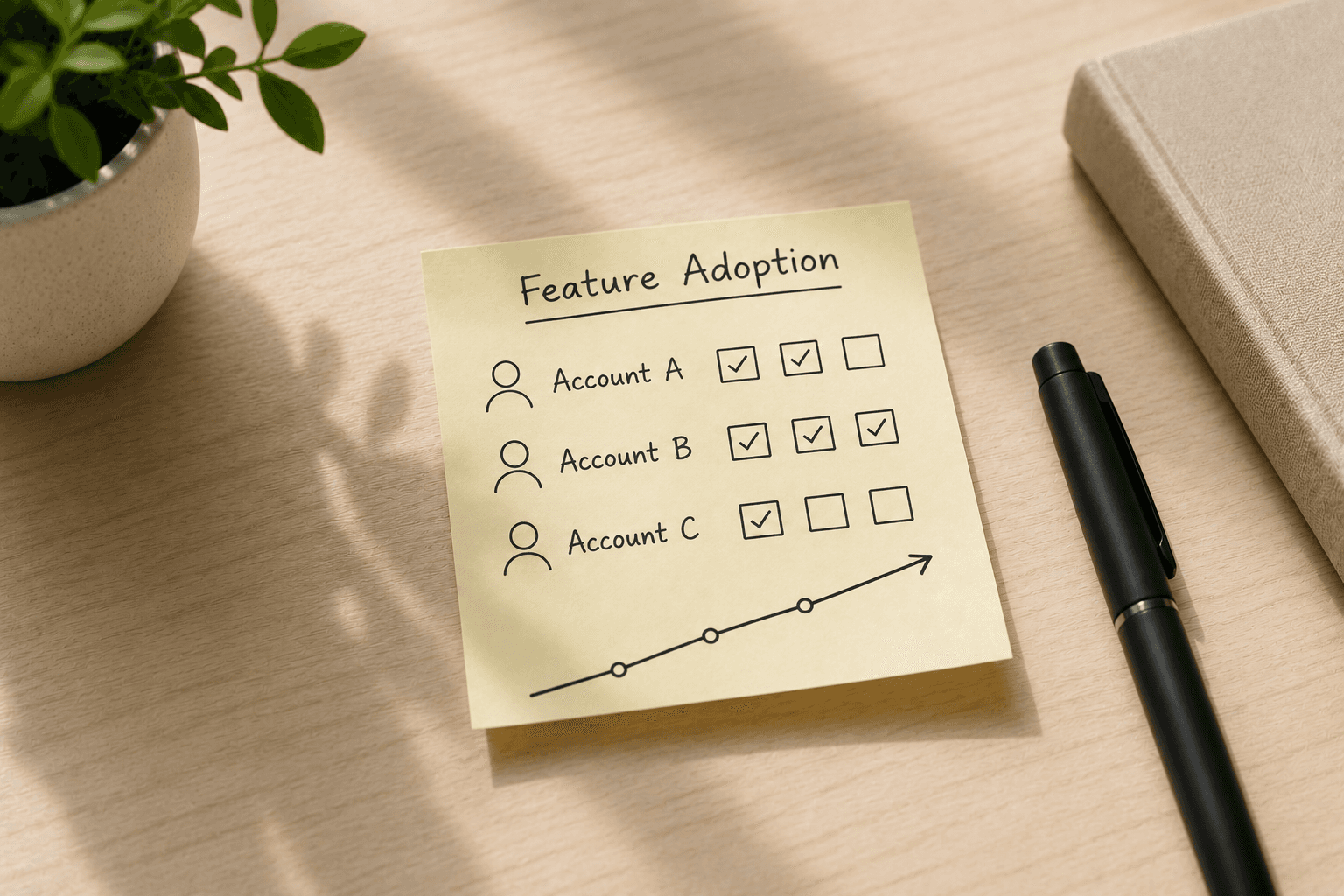
Customer success teams struggle to monitor feature adoption across hundreds of accounts using manual spreadsheets and weekly reports. By the time adoption drops appear in dashboards, customers have already disengaged. Automated adoption tracking aggregates account-level engagement signals in real time, surfacing risks before they escalate into churn events.
Key Takeaways
Feature adoption measures meaningful interaction with specific capabilities, not just login activity depth and breadth matter more than raw usage counts
Manual monitoring breaks at scale when teams track dozens of features across hundreds of accounts using spreadsheets and periodic reports
Automated platforms capture events continuously, normalize them for account-level rollup, and surface adoption risks through real-time alerting
Healthy adoption combines engagement depth, feature breadth, and time-to-value progression into composite health scores
Modern systems integrate with existing product analytics tools rather than requiring instrumentation replacement
What Feature Adoption Tracking Measures (and Why It Matters)
Modern platforms automate account-level adoption monitoring without manual spreadsheets. Feature adoption tracking measures user activation for specific features within your application, monitoring engagement depth and consistency across accounts rather than simply counting raw interactions. This tracking focuses on how users genuinely integrate your product into core workflows to achieve outcomes that matter to their business.
Adoption vs. Raw Usage: The Critical Distinction
Feature adoption measures interaction with a specific feature rather than generic login activity it tracks *how* customers engage, not just *whether* they show up. Raw usage numbers don't accurately measure engagement quality, so 10,000 clicks from a single power user don't mean the same thing as 10,000 clicks distributed across fifty active users. The standard Monthly Feature Adoption Rate formula [feature MAU / monthly logins] × 100 provides an industry-standard calculation, but the formula alone doesn't reveal *which* accounts are engaging deeply and which are at risk. Account-level context separates signal from noise, showing customer success teams where adoption patterns predict retention or flag churn risk.
Why Adoption Signals Predict Retention
The more features a user adopts, the less likely they are to abandon the product, making feature adoption a key metric for retention and expansion efforts. Each unused feature represents value customers pay for but don't receive, lowering perceived ROI and weakening renewal intent. Customer success platforms monitor feature adoption continuously as part of account health scoring, watching every account for changes in adoption and engagement without manual dashboard checks. This continuous monitoring connects directly to lifecycle stage progression, where adoption milestones signal movement from onboarding through expansion or flag accounts stalling before they formally churn.
Understanding what feature adoption measures helps explain why tracking it manually creates operational bottlenecks.
Why Manual Monitoring Fails at Scale
Manual monitoring doesn't scale beyond a few dozen accounts. What works for 20 accounts collapses under the weight of 300. The operational reality becomes clear when you walk through the workflow: a customer success team trying to track feature adoption across hundreds of accounts must export product analytics data weekly, aggregate user-level events by account in spreadsheets, and flag adoption drops before they turn into churn signals.
The Spreadsheet Bottleneck
Each step in the manual workflow breaks at scale. Data export lag means Monday's export reflects Thursday's activity, adoption signals arrive stale. Manual aggregation introduces errors: one misaligned account ID, one skipped formula copy, and an at-risk account falls through the cracks. The cost compounds quickly. IT departments typically run with 25% or more of software unused. When adoption isn't monitored proactively, underutilized features become sunk costs.
When Data Latency Turns Adoption Signals Into Lagging Indicators
Weekly or monthly reporting cadence transforms adoption tracking from early-warning system to churn postmortem. By the time a CS team spots a feature adoption drop in last week's report, the customer has already moved three days deeper into disengagement. Automated systems watch every account for changes in adoption and engagement continuously, eliminating spreadsheet aggregation by automatically rolling up user-level events to account-level adoption health scores. Real-time monitoring shifts the conversation from "Why did this account churn?" to identifying escalation risks early enough to intervene.
Once you recognize the limitations of manual tracking, identifying the right adoption signals becomes critical for building effective automated systems.
Core Signals That Indicate Healthy Feature Adoption
Raw usage counts tell you someone opened a feature. They don't tell you whether that interaction created value or whether the account as a whole is heading toward renewal. Healthy adoption requires tracking three signal categories that predict long-term retention rather than short-term activity spikes.
Login Frequency vs. Feature Engagement Depth, Distinguish between users who log in daily but never complete core workflows and users who log in less frequently but finish high-value tasks each session. Depth matters more than frequency. An account with three weekly logins that consistently complete end-to-end workflows (invoice generation, report exports, data syncs) signals stronger retention potential than an account with daily logins spent browsing dashboards without taking action. Platforms that track only page views or session duration conflate shallow activity with meaningful engagement. Retention-predictive tools measure workflow completion rates, not just feature opens.
Breadth of Feature Usage Across Account Teams, Single-user engagement creates fragile adoption. If only one person in an eight-seat account uses your product, that account churns the moment that champion leaves or loses budget authority. Healthy adoption spreads across roles and teams within the account. Track how many unique users per account engage with core features each month and whether those users represent different functional areas (operations, finance, leadership). An account where two power users log 400 actions per month but six teammates never complete onboarding carries higher churn risk than an account where eight users each complete 50 actions. Breadth mitigates key-person dependency and signals organization-wide value creation.
Time-to-Value Milestones, Teams that don't reach activation milestones churn regardless of login volume. Research shows a significant percentage of users drop off during team invite setup, a critical time-to-value milestone that predicts whether an account moves from trial to recurring usage. Define your product's activation milestones: first workflow completion, first integration connected, first report shared with a stakeholder. Track the percentage of accounts reaching each milestone within your target timeframe (typically 7 to 14 days for trials, 30 days for annual contracts). Accounts that hit these milestones establish recurring usage patterns; accounts that don't remain stuck in exploratory mode and churn before renewal.
These three signal types, depth, breadth, and time-to-value progression, feed into composite health scores that surface at-risk accounts before they churn. Tracking them separately lets you diagnose whether an adoption problem stems from shallow engagement, narrow user distribution, or stalled onboarding, then deploy targeted interventions matched to the root cause.
With adoption signals defined, the next question is how automated platforms capture, normalize, and aggregate those signals in real time.
How Automated Tracking Works: Platform Components
Product Event Ingestion and Normalization
When a user completes a workflow in your product, modern customer success platforms capture the event via SDK or product analytics integration, tag it with account metadata, and normalize it for account-level rollup, all in real time. The ingestion layer connects to your existing product analytics tools rather than requiring instrumentation replacement, which makes deployment practical for teams that have already invested in event tracking infrastructure.
Event normalization handles the translation work: a "reportgenerated" event in your CRM module and a "dashboardviewed" event in your analytics module both map to measurable engagement signals at the account level. The platform tags each event with tenant identifiers, timestamps, user roles, and feature categories so that later aggregation can answer questions like "Which accounts have adopted the new forecasting workflow?" or "How many users in Account X have logged in this week?"
The ingestion pipeline runs continuously, processing events as they arrive rather than batching overnight. This architecture supports fast response times. because the system doesn't need to scan raw logs on every query, events flow into pre-aggregated structures that update in real time.
Account-Level Aggregation Logic
User-level events aggregate into account-level adoption metrics through rollup logic that accounts for differences in account size and multi-product environments. Consider an enterprise account with 50 users across three product modules: the platform rolls up individual feature events into module-level adoption scores, then aggregates to account-level health. A seat-based calculation might show that 42 of 50 users logged in this month (84% active user rate) and 15 of 50 engaged with the new forecasting feature (30% feature adoption rate).
The aggregation engine calculates per-seat adoption rates rather than raw event counts, which normalizes metrics across companies of different sizes. A 10-person startup generating 500 events per week and a 500-person enterprise generating 25,000 events can both be scored on the same scale when the platform measures engagement depth per licensed seat. This normalization lets customer success teams compare adoption velocity across their entire book without manually adjusting for account size.
Multi-product environments introduce complexity: a user might be highly engaged in the CRM module but never touch the analytics module, and the account-level score needs to reflect that uneven adoption. The aggregation logic produces a composite health metric that reflects both breadth (how many features are active) and depth (how intensively each is used).
Setting Up Account-Level Adoption Monitoring
Identify Core Feature Events to Track: Start by auditing your product workflows to select the feature events that predict customer value realization. Product analytics teams focus on tracking behaviors that signal engagement depth, actions like inviting collaborators, completing setup steps, or using advanced features. A project management SaaS might identify 'task created,' 'collaborator invited,' and 'project archived' as the core events that predict long-term retention. By tracking these three signals across all accounts, you measure adoption depth rather than vanity metrics like login counts.
Connect Product Analytics Data to Your Customer Success Platform: Walk through integration requirements for feeding event data into health scoring systems. Usage analytics systems aggregate user interactions to understand behavior and engagement patterns. When you connect your platform to your existing event tracking tool, the system automatically begins aggregating events by account, no custom ETL pipeline required.
Define Account-Level Health Baselines: Set initial adoption thresholds and allow adaptive systems to refine baselines over time based on obser ved patterns.Rather than setting static thresholds (e.g., 10 logins/week), modern platforms compare current engagement against recent historical patterns and segment-level benchmarks, so early-stage startups and enterprise accounts are scored against appropriate context. Measuring product usage involves tracking feature adoption, session duration, and user retention to identify trends over time.
Configure Alerting Rules for CSM Intervention: Describe when to alert CSMs versus letting usage patterns stabilize, avoiding alert fatigue while catching real adoption risks. Adoption process frameworks focus on increasing usage breadth and depth while managing change effectively. Effective systems distinguish between normal usage variance (weekly seasonality, expected onboarding dips) and sustained adoption drops, CSMs receive alerts only when engagement falls below expected patterns for multiple consecutive check periods, avoiding noise while catching real risks.
Real-time alerting platforms suit teams that need immediate CSM intervention when adoption drops; periodic dashboard tools suit teams focused on trend analysis and strategic planning. Point-solution product analytics tools excel at user-level event tracking but require manual account-level aggregation, while customer success platforms with built-in adoption tracking automate the rollup but may have less granular event capture, integration-based approaches bridge the gap. Platforms like Userlens combine product event tracking with native account-level health scoring to eliminate manual aggregation workflows.
As AI-driven customer success platforms mature, adoption monitoring will shift from threshold-based alerting to predictive churn modeling. Systems that learn account-specific health patterns today will be best positioned to forecast which adoption signals predict renewal likelihood tomorrow.
Frequently Asked Questions
What's the difference between user-level and account-level feature adoption tracking?
User-level tracking measures individual engagement (e.g., Alice completed 5 workflows), while account-level tracking aggregates across all users to measure organizational adoption health. Account-level metrics roll up individual feature events into module-level or company-wide adoption scores, accounting for differences in account size and multi-product environments.
How do automated platforms determine when adoption drops below healthy thresholds?
Modern systems learn account-specific patterns rather than using static thresholds. Platforms compare current engagement to recent historical patterns and peer cohort benchmarks, distinguishing between early-stage and enterprise adoption curves. Real-time alerts notify CSMs immediately when adoption drops below learned thresholds rather than waiting for periodic reports.
Can automated adoption tracking handle multi-product or multi-module accounts?
Yes. Account-level aggregation logic rolls up feature events by product module first, then aggregates to overall account health. For example, an enterprise account with 50 users across three modules gets per-module adoption scoring before rollup, ensuring multi-product environments receive accurate health assessments that reflect module-specific engagement patterns.
Should I alert my CSM team every time adoption metrics change, or only for sustained drops?
Alert only for sustained drops to avoid alert fatigue. Weekly or monthly reporting cadence transforms adoption tracking from early-warning system to churn postmortem. Normal weekly variance differs from true adoption risks, so filtering for persistent disengagement prevents unnecessary CSM interruptions while catching genuine issues early.
Do I need to replace my existing product analytics tool to track feature adoption automatically?
No. Platforms integrate with existing tools via API rather than requiring instrumentation replacement. The adoption platform sits on top of product analytics, capturing events through SDK or analytics integration, then tagging them with account metadata for rollup, all without replacing your current event tracking infrastructure.
How accurate is the Monthly Feature Adoption Rate formula for B2B SaaS?
Pendo's formula ([feature MAU / monthly logins] × 100) measures breadth, how many users tried the feature, but not depth or meaningful engagement. Modern systems track both breadth and depth, capturing whether users completed workflows or simply opened a feature. The formula serves as an industry baseline but misses engagement quality signals that predict churn.
What integrations are required to connect product analytics to customer success workflows?
Typical architecture uses direct API connections to product analytics tools, event streaming platforms, or SDK instrumentation for platforms handling both analytics and CS workflows. The ingestion layer connects to existing product analytics tools, captures events, tags them with account metadata, and normalizes them for account-level rollup, all in real time without replacing current instrumentation.
Conclusion
Feature adoption tracking only works when it runs continuously at the account level. Spreadsheets and weekly exports can't keep pace with hundreds of accounts, and by the time a manual report flags a drop, the disengagement window has already closed.
The path forward is straightforward: define the feature events that predict real value realization, connect your product analytics to a platform that aggregates those events by account automatically, and set up alerting that catches sustained adoption drops without flooding your team with noise. Depth, breadth, and time-to-value progression give you a complete picture of whether customers are integrating your product into their workflows or quietly drifting toward churn.
The tooling exists today. Platforms like Userlens sit on top of your existing event tracking infrastructure, handle the account-level rollup, and surface adoption risks through health scoring and alerts. No instrumentation replacement, no manual aggregation, no stale Monday-morning spreadsheets. The teams that adopt this approach shift from reacting to churn to preventing it, and that shift starts with treating feature adoption as a continuous signal rather than a periodic report.
Customer success teams struggle to monitor feature adoption across hundreds of accounts using manual spreadsheets and weekly reports. By the time adoption drops appear in dashboards, customers have already disengaged. Automated adoption tracking aggregates account-level engagement signals in real time, surfacing risks before they escalate into churn events.
Key Takeaways
Feature adoption measures meaningful interaction with specific capabilities, not just login activity depth and breadth matter more than raw usage counts
Manual monitoring breaks at scale when teams track dozens of features across hundreds of accounts using spreadsheets and periodic reports
Automated platforms capture events continuously, normalize them for account-level rollup, and surface adoption risks through real-time alerting
Healthy adoption combines engagement depth, feature breadth, and time-to-value progression into composite health scores
Modern systems integrate with existing product analytics tools rather than requiring instrumentation replacement
What Feature Adoption Tracking Measures (and Why It Matters)
Modern platforms automate account-level adoption monitoring without manual spreadsheets. Feature adoption tracking measures user activation for specific features within your application, monitoring engagement depth and consistency across accounts rather than simply counting raw interactions. This tracking focuses on how users genuinely integrate your product into core workflows to achieve outcomes that matter to their business.
Adoption vs. Raw Usage: The Critical Distinction
Feature adoption measures interaction with a specific feature rather than generic login activity it tracks *how* customers engage, not just *whether* they show up. Raw usage numbers don't accurately measure engagement quality, so 10,000 clicks from a single power user don't mean the same thing as 10,000 clicks distributed across fifty active users. The standard Monthly Feature Adoption Rate formula [feature MAU / monthly logins] × 100 provides an industry-standard calculation, but the formula alone doesn't reveal *which* accounts are engaging deeply and which are at risk. Account-level context separates signal from noise, showing customer success teams where adoption patterns predict retention or flag churn risk.
Why Adoption Signals Predict Retention
The more features a user adopts, the less likely they are to abandon the product, making feature adoption a key metric for retention and expansion efforts. Each unused feature represents value customers pay for but don't receive, lowering perceived ROI and weakening renewal intent. Customer success platforms monitor feature adoption continuously as part of account health scoring, watching every account for changes in adoption and engagement without manual dashboard checks. This continuous monitoring connects directly to lifecycle stage progression, where adoption milestones signal movement from onboarding through expansion or flag accounts stalling before they formally churn.
Understanding what feature adoption measures helps explain why tracking it manually creates operational bottlenecks.
Why Manual Monitoring Fails at Scale
Manual monitoring doesn't scale beyond a few dozen accounts. What works for 20 accounts collapses under the weight of 300. The operational reality becomes clear when you walk through the workflow: a customer success team trying to track feature adoption across hundreds of accounts must export product analytics data weekly, aggregate user-level events by account in spreadsheets, and flag adoption drops before they turn into churn signals.
The Spreadsheet Bottleneck
Each step in the manual workflow breaks at scale. Data export lag means Monday's export reflects Thursday's activity, adoption signals arrive stale. Manual aggregation introduces errors: one misaligned account ID, one skipped formula copy, and an at-risk account falls through the cracks. The cost compounds quickly. IT departments typically run with 25% or more of software unused. When adoption isn't monitored proactively, underutilized features become sunk costs.
When Data Latency Turns Adoption Signals Into Lagging Indicators
Weekly or monthly reporting cadence transforms adoption tracking from early-warning system to churn postmortem. By the time a CS team spots a feature adoption drop in last week's report, the customer has already moved three days deeper into disengagement. Automated systems watch every account for changes in adoption and engagement continuously, eliminating spreadsheet aggregation by automatically rolling up user-level events to account-level adoption health scores. Real-time monitoring shifts the conversation from "Why did this account churn?" to identifying escalation risks early enough to intervene.
Once you recognize the limitations of manual tracking, identifying the right adoption signals becomes critical for building effective automated systems.
Core Signals That Indicate Healthy Feature Adoption
Raw usage counts tell you someone opened a feature. They don't tell you whether that interaction created value or whether the account as a whole is heading toward renewal. Healthy adoption requires tracking three signal categories that predict long-term retention rather than short-term activity spikes.
Login Frequency vs. Feature Engagement Depth, Distinguish between users who log in daily but never complete core workflows and users who log in less frequently but finish high-value tasks each session. Depth matters more than frequency. An account with three weekly logins that consistently complete end-to-end workflows (invoice generation, report exports, data syncs) signals stronger retention potential than an account with daily logins spent browsing dashboards without taking action. Platforms that track only page views or session duration conflate shallow activity with meaningful engagement. Retention-predictive tools measure workflow completion rates, not just feature opens.
Breadth of Feature Usage Across Account Teams, Single-user engagement creates fragile adoption. If only one person in an eight-seat account uses your product, that account churns the moment that champion leaves or loses budget authority. Healthy adoption spreads across roles and teams within the account. Track how many unique users per account engage with core features each month and whether those users represent different functional areas (operations, finance, leadership). An account where two power users log 400 actions per month but six teammates never complete onboarding carries higher churn risk than an account where eight users each complete 50 actions. Breadth mitigates key-person dependency and signals organization-wide value creation.
Time-to-Value Milestones, Teams that don't reach activation milestones churn regardless of login volume. Research shows a significant percentage of users drop off during team invite setup, a critical time-to-value milestone that predicts whether an account moves from trial to recurring usage. Define your product's activation milestones: first workflow completion, first integration connected, first report shared with a stakeholder. Track the percentage of accounts reaching each milestone within your target timeframe (typically 7 to 14 days for trials, 30 days for annual contracts). Accounts that hit these milestones establish recurring usage patterns; accounts that don't remain stuck in exploratory mode and churn before renewal.
These three signal types, depth, breadth, and time-to-value progression, feed into composite health scores that surface at-risk accounts before they churn. Tracking them separately lets you diagnose whether an adoption problem stems from shallow engagement, narrow user distribution, or stalled onboarding, then deploy targeted interventions matched to the root cause.
With adoption signals defined, the next question is how automated platforms capture, normalize, and aggregate those signals in real time.
How Automated Tracking Works: Platform Components
Product Event Ingestion and Normalization
When a user completes a workflow in your product, modern customer success platforms capture the event via SDK or product analytics integration, tag it with account metadata, and normalize it for account-level rollup, all in real time. The ingestion layer connects to your existing product analytics tools rather than requiring instrumentation replacement, which makes deployment practical for teams that have already invested in event tracking infrastructure.
Event normalization handles the translation work: a "reportgenerated" event in your CRM module and a "dashboardviewed" event in your analytics module both map to measurable engagement signals at the account level. The platform tags each event with tenant identifiers, timestamps, user roles, and feature categories so that later aggregation can answer questions like "Which accounts have adopted the new forecasting workflow?" or "How many users in Account X have logged in this week?"
The ingestion pipeline runs continuously, processing events as they arrive rather than batching overnight. This architecture supports fast response times. because the system doesn't need to scan raw logs on every query, events flow into pre-aggregated structures that update in real time.
Account-Level Aggregation Logic
User-level events aggregate into account-level adoption metrics through rollup logic that accounts for differences in account size and multi-product environments. Consider an enterprise account with 50 users across three product modules: the platform rolls up individual feature events into module-level adoption scores, then aggregates to account-level health. A seat-based calculation might show that 42 of 50 users logged in this month (84% active user rate) and 15 of 50 engaged with the new forecasting feature (30% feature adoption rate).
The aggregation engine calculates per-seat adoption rates rather than raw event counts, which normalizes metrics across companies of different sizes. A 10-person startup generating 500 events per week and a 500-person enterprise generating 25,000 events can both be scored on the same scale when the platform measures engagement depth per licensed seat. This normalization lets customer success teams compare adoption velocity across their entire book without manually adjusting for account size.
Multi-product environments introduce complexity: a user might be highly engaged in the CRM module but never touch the analytics module, and the account-level score needs to reflect that uneven adoption. The aggregation logic produces a composite health metric that reflects both breadth (how many features are active) and depth (how intensively each is used).
Setting Up Account-Level Adoption Monitoring
Identify Core Feature Events to Track: Start by auditing your product workflows to select the feature events that predict customer value realization. Product analytics teams focus on tracking behaviors that signal engagement depth, actions like inviting collaborators, completing setup steps, or using advanced features. A project management SaaS might identify 'task created,' 'collaborator invited,' and 'project archived' as the core events that predict long-term retention. By tracking these three signals across all accounts, you measure adoption depth rather than vanity metrics like login counts.
Connect Product Analytics Data to Your Customer Success Platform: Walk through integration requirements for feeding event data into health scoring systems. Usage analytics systems aggregate user interactions to understand behavior and engagement patterns. When you connect your platform to your existing event tracking tool, the system automatically begins aggregating events by account, no custom ETL pipeline required.
Define Account-Level Health Baselines: Set initial adoption thresholds and allow adaptive systems to refine baselines over time based on obser ved patterns.Rather than setting static thresholds (e.g., 10 logins/week), modern platforms compare current engagement against recent historical patterns and segment-level benchmarks, so early-stage startups and enterprise accounts are scored against appropriate context. Measuring product usage involves tracking feature adoption, session duration, and user retention to identify trends over time.
Configure Alerting Rules for CSM Intervention: Describe when to alert CSMs versus letting usage patterns stabilize, avoiding alert fatigue while catching real adoption risks. Adoption process frameworks focus on increasing usage breadth and depth while managing change effectively. Effective systems distinguish between normal usage variance (weekly seasonality, expected onboarding dips) and sustained adoption drops, CSMs receive alerts only when engagement falls below expected patterns for multiple consecutive check periods, avoiding noise while catching real risks.
Real-time alerting platforms suit teams that need immediate CSM intervention when adoption drops; periodic dashboard tools suit teams focused on trend analysis and strategic planning. Point-solution product analytics tools excel at user-level event tracking but require manual account-level aggregation, while customer success platforms with built-in adoption tracking automate the rollup but may have less granular event capture, integration-based approaches bridge the gap. Platforms like Userlens combine product event tracking with native account-level health scoring to eliminate manual aggregation workflows.
As AI-driven customer success platforms mature, adoption monitoring will shift from threshold-based alerting to predictive churn modeling. Systems that learn account-specific health patterns today will be best positioned to forecast which adoption signals predict renewal likelihood tomorrow.
Frequently Asked Questions
What's the difference between user-level and account-level feature adoption tracking?
User-level tracking measures individual engagement (e.g., Alice completed 5 workflows), while account-level tracking aggregates across all users to measure organizational adoption health. Account-level metrics roll up individual feature events into module-level or company-wide adoption scores, accounting for differences in account size and multi-product environments.
How do automated platforms determine when adoption drops below healthy thresholds?
Modern systems learn account-specific patterns rather than using static thresholds. Platforms compare current engagement to recent historical patterns and peer cohort benchmarks, distinguishing between early-stage and enterprise adoption curves. Real-time alerts notify CSMs immediately when adoption drops below learned thresholds rather than waiting for periodic reports.
Can automated adoption tracking handle multi-product or multi-module accounts?
Yes. Account-level aggregation logic rolls up feature events by product module first, then aggregates to overall account health. For example, an enterprise account with 50 users across three modules gets per-module adoption scoring before rollup, ensuring multi-product environments receive accurate health assessments that reflect module-specific engagement patterns.
Should I alert my CSM team every time adoption metrics change, or only for sustained drops?
Alert only for sustained drops to avoid alert fatigue. Weekly or monthly reporting cadence transforms adoption tracking from early-warning system to churn postmortem. Normal weekly variance differs from true adoption risks, so filtering for persistent disengagement prevents unnecessary CSM interruptions while catching genuine issues early.
Do I need to replace my existing product analytics tool to track feature adoption automatically?
No. Platforms integrate with existing tools via API rather than requiring instrumentation replacement. The adoption platform sits on top of product analytics, capturing events through SDK or analytics integration, then tagging them with account metadata for rollup, all without replacing your current event tracking infrastructure.
How accurate is the Monthly Feature Adoption Rate formula for B2B SaaS?
Pendo's formula ([feature MAU / monthly logins] × 100) measures breadth, how many users tried the feature, but not depth or meaningful engagement. Modern systems track both breadth and depth, capturing whether users completed workflows or simply opened a feature. The formula serves as an industry baseline but misses engagement quality signals that predict churn.
What integrations are required to connect product analytics to customer success workflows?
Typical architecture uses direct API connections to product analytics tools, event streaming platforms, or SDK instrumentation for platforms handling both analytics and CS workflows. The ingestion layer connects to existing product analytics tools, captures events, tags them with account metadata, and normalizes them for account-level rollup, all in real time without replacing current instrumentation.
Conclusion
Feature adoption tracking only works when it runs continuously at the account level. Spreadsheets and weekly exports can't keep pace with hundreds of accounts, and by the time a manual report flags a drop, the disengagement window has already closed.
The path forward is straightforward: define the feature events that predict real value realization, connect your product analytics to a platform that aggregates those events by account automatically, and set up alerting that catches sustained adoption drops without flooding your team with noise. Depth, breadth, and time-to-value progression give you a complete picture of whether customers are integrating your product into their workflows or quietly drifting toward churn.
The tooling exists today. Platforms like Userlens sit on top of your existing event tracking infrastructure, handle the account-level rollup, and surface adoption risks through health scoring and alerts. No instrumentation replacement, no manual aggregation, no stale Monday-morning spreadsheets. The teams that adopt this approach shift from reacting to churn to preventing it, and that shift starts with treating feature adoption as a continuous signal rather than a periodic report.
Help
support@userlens.io
© All rights reserved. Userlens 2026
Help
support@userlens.io
© All rights reserved. Userlens 2026
Help
support@userlens.io
© All rights reserved. Userlens 2026